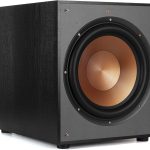
Whether you just set up a new sub or you’re troubleshooting one that seems off, here’s how to verify it’s actually working correctly — and performing at its best.
Basic Function Test
The hand test: With the sub on and connected, playing bass-heavy content, hold your hand 6-8 inches from the driver. You should feel a clear push of air with each bass hit. No air movement means either no signal is reaching the driver or the driver isn’t moving.
The indicator light: Should be illuminated (green typically means active, red or blinking indicates a problem or protection mode).
The phone test: Connect a phone directly to the sub’s line input via a 3.5mm-to-RCA cable and play bass music. If it produces output: the sub hardware is working and any issues are in your receiver setup or cables, not the sub itself.
Signal Path Test
This determines whether the problem is in the sub or upstream:
- Note whether the sub responds to the phone test above
- If yes: disconnect the phone, reconnect the receiver cable, go into your receiver settings and verify the sub is enabled and speakers are set to “Small”
- If the sub works with the phone but not the receiver: check receiver settings and cables
- If the sub doesn’t work with the phone: the sub hardware has an issue
Physical Driver Test
With the sub powered off and unplugged: press the center of the cone gently and evenly with two fingers. It should compress smoothly and spring back evenly. Grinding, scraping, or uneven movement indicates voice coil damage. Very little movement at all could indicate a stiffened suspension (possibly break-in needed in a new driver) or a seized motor assembly.
Battery Test for Voice Coil Continuity
With speaker leads disconnected from the amp: briefly touch a 9V battery’s positive and negative terminals to the driver’s input terminals. A working voice coil produces a clear “thump” and the cone jumps forward. No movement at all means the voice coil circuit is open — the coil has failed.
Integration Test
This verifies the sub is properly blending with your main speakers:
- Play music with continuous, even bass — bass guitar or an acoustic bass recording works well
- Disconnect the sub and listen to your main speakers alone — note how the bass sounds
- Reconnect the sub — bass should add smoothly without a noticeable “jump” at the crossover frequency
- A gap (thin sound at crossover point) means the crossover is set too low for your speakers
- A hump (extra bass prominence at a specific frequency) means overlap — crossover too high or room mode peak
Bass Consistency Test
Play bass-heavy music and walk slowly around the room. The bass should be reasonably consistent — not perfect everywhere, but no positions where it completely disappears and no positions where it’s dramatically louder than others. Large inconsistencies indicate room mode problems. Best fix: add a second sub in an asymmetric position, or use EQ to tame the loudest modal peak.
What Good Performance Looks Like
- Clean, distortion-free bass at normal to moderately loud volumes
- Bass that integrates seamlessly — you feel it’s there but can’t pinpoint the sub as a separate source
- Reasonably consistent bass across different seating positions
- No physical driver noise (grinding, scraping, rattling)
- No protection mode shutdowns during normal listening
If your sub passes all of these: it’s working correctly. The rest is setup optimization — placement, crossover, phase, level — which my other guides cover in detail.