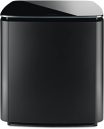
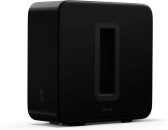
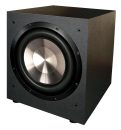
EQ is one of the most powerful tools for improving bass quality — and one of the least used by home audio enthusiasts who set up their sub manually and call it done. Here’s how to use it properly.
Why EQ Matters for Subwoofers
Your room creates acoustic resonances at specific frequencies — room modes. These cause certain bass notes to be much louder than others (peaks) and some to be noticeably quieter (dips). A peak at 45Hz makes every bass note near that frequency boom. Without EQ, you’re hearing your room as much as your sub.
EQ lets you reduce those peaks for a flatter, more natural bass response. This isn’t about personal taste — it’s about correcting an acoustic problem.
The Best Method: Room Correction Software
If your receiver has Audyssey MultEQ, YPAO, AccuEQ, or Dirac Live: run it. These systems measure your room with a microphone and apply automatic corrections. For most people, this is the most practical and effective method available. The result is almost always better than manual EQ applied without measurement equipment.
Run room correction first. Then evaluate whether any manual fine-tuning is needed.
Manual EQ with the SVS App
If you have an SVS SB-1000 Pro or other app-equipped SVS model: the app includes three-band parametric EQ you can adjust from your listening seat via Bluetooth. This is a significant practical advantage — you change a setting and hear the result immediately from the position that matters, rather than walking back and forth to the sub’s rear panel.
For manual EQ without room measurement software:
- Play music with steady, consistent bass — a 40Hz test tone is ideal
- If certain notes or frequencies sound obviously boomy: create a narrow cut (3-6dB reduction, Q of 3-5) at that frequency
- Listen and evaluate from your seat
- Make small adjustments — 1-2dB at a time
- Test with music you know well to verify the result sounds natural
Measurement-Based EQ (Best Results)
Room EQ Wizard (REW) is free software. A calibrated USB microphone like the MiniDSP UMIK-1 costs available on Amazon. Together they let you see exactly what your room’s bass frequency response looks like as a graph. Peaks show up clearly. You apply targeted cuts to bring them down. Re-measure to confirm the improvement.
This approach produces results that consistently outperform manual EQ by ear. If you’re serious about getting the best bass possible from your system, the $75 microphone investment pays for itself in the first use.
The Key Rules
- Cut peaks, don’t boost dips. Boosting frequencies in dip positions requires significantly more amplifier power and can cause distortion or driver damage. Accept that dips exist and focus on reducing the peaks instead.
- Narrow cuts for sharp peaks. A high Q value (4-8) makes a precise, narrow cut. Use this for clear room mode peaks that affect only a specific frequency.
- Don’t over-EQ. The goal is flatter, not perfect. Chasing flat bass response through extensive EQ can create its own problems. Get it reasonably good and leave it.
- Re-evaluate after placement changes. If you move the sub, the room mode structure changes. Re-run room correction or re-evaluate EQ from scratch.
The MiniDSP Option
If your sub and receiver have no EQ capabilities: the MiniDSP 2×4 is an external DSP that sits between your receiver’s sub output and the sub’s input. It provides fully configurable parametric EQ for any subwoofer system. A meaningful investment for anyone with a quality sub but no built-in EQ options.